Instagram lead generation ads are Meta's paid format for collecting contact details from people on Instagram, through a form that opens inside the app, a conversation in Direct, or a phone call. You build them in Ads Manager with the Leads objective, you pay through Meta's ad auction within a budget you set, and the leads land in Ads Manager, in Leads Center or in your CRM. Below: how each format works, how to filter weak contacts, and when paid lead ads are the wrong tool.
Lead ads are one of several methods compared in our Instagram lead generation guide.
The three kinds of Instagram lead ads
According to Meta's overview of lead ads, lead ads can appear in Instagram Feed and Stories, and they come in three types:
- Lead ads with an instant form. The person taps the ad, a form opens, and they submit their details without leaving Instagram.
- Lead ads that click to message. The ad opens a conversation with your business, and the qualifying happens in the chat.
- Lead ads with calling. The ad gets people to call your business.
Meta lets you download lead ad results from Ads Manager or from Leads Center in Meta Business Suite, or send them to a CRM through a connection. One exception applies to click-to-message campaigns optimized for leads, covered further down.
A form suits offers where a name, an email and a couple of answers are enough to begin, such as a quote request or a demo booking. A conversation suits offers where buyers have questions before they commit.
How an instant form works
To run an instant form, you choose Leads as the campaign objective in Ads Manager, then select Instant forms as the conversion location, as described in Meta's documentation on lead ads with instant forms. When someone taps the ad, the form opens on top of Instagram and they fill it in without leaving the app. Meta can prefill their name, email and phone number if they already gave that information to Meta.
Prefill makes the form effortless, which also means some people submit it in two taps without paying much attention.
The sections of a form
An instant form is built in five sections:
- Form type. Where you choose between volume and intent (details below).
- Intro. Optional, except with the rich creative form type, where it is required. Use it to say what the person gets and what happens after they submit.
- Questions. At least one.
- Privacy policy. Required to run instant forms. You link your own policy, so make sure it covers what you will do with the data.
- Ending. The screen people see after submitting, which can hold text, promo codes and call-to-action buttons, such as a link to book a call or visit your site.
You can save up to 100 instant forms.
More volume, higher intent and rich creative
Meta offers three form types. "More volume" is the default and keeps the form quick to complete. "Higher intent" is the setting to pick when you would rather receive fewer submissions from people who meant it. "Rich creative" adds a required intro so you can present your offer in more detail before the questions.
If each lead costs your team a call or a custom quote, choose higher intent and add qualifying questions, because a weak lead takes the same time to handle as a good one.
Qualifying leads inside the form
Instant forms include several features to filter leads before they reach your team. Meta lists these:
- Custom questions, such as company size, budget range or timeline.
- Conditional answers, where the options of one question depend on the answer to the previous one.
- Conditional logic, to show different questions to different people based on their answers.
- Gated content, a file (PDF, JPEG or PNG, up to 10MB) the person receives after submitting.
- Chat with leads in Messenger, if the person opts in.
- Phone number verification by one-time password, so the number you receive works.
- Work email validation, useful when you sell to businesses and want a company address.
These features are only available when you create the form in Ads Manager. In Meta Business Suite, you can only create a simple contact form. If you started there and cannot find conditional logic or gated content, that is why.
A practical rule for B2B: add the one question your salesperson would ask first on a call, with answer ranges that match how you price. Each extra question lowers submissions, so keep only the ones that change what your team does next.
Click-to-message lead ads and the Lead label
The second format sends people into a conversation. Meta's course on optimizing ads that click to message for leads describes lead optimization as a performance goal for these ads across Messenger, Instagram and WhatsApp, shown in Ads Manager as "Maximize number of leads through messaging".
In Meta Business Suite, leads from these conversations can be detected automatically: machine learning spots phone numbers shared in Inbox conversations and flags the conversation as a lead. We cover how that label works in the Instagram lead label guide.
A few points from Meta's course matter for planning:
- With click-to-message lead optimization, lead download is not available. You work these leads from the Inbox, so someone on your team has to be there to answer.
- Meta recommends judging these campaigns on leads and cost per lead, and leaving conversations started out of that judgment.
- Meta recommends running these campaigns for at least 7 days so they get out of the learning phase before you assess them.
- Conversions API for business messaging is not available in the EU, the UK or Japan.
What Instagram lead ads cost
Instagram lead ads have no fixed price. Meta sells ad placements through an auction, and you set the budget: Meta then spends it to deliver your ad to the audience you chose. Your cost per lead depends on who else is bidding for the same people and on how people respond to your offer, so any price you read online describes someone else's campaign.
The figure Ads Manager reports is a cost per form submission or per lead it detected. For a sales team, the useful number sits one step further: your spend divided by the leads your team accepted as qualified, tracked in your CRM. A cheap form fill that never answers the phone costs more than its price in Ads Manager suggests.
Following up on Instagram leads
Leads from instant forms sit in Ads Manager or Leads Center until someone downloads them, unless you connect a CRM before the campaign starts. Click-to-message leads stay in the Inbox.
Speed matters more with lead ads than with most channels. The person filled a form while scrolling Instagram and may not remember your brand a few days later. Contact them the same day if you can, open with what they asked for, and refer to their answers.
When you follow up by email in the US, CAN-SPAM rules apply to commercial email, including business-to-business messages: identify yourself, include a postal address and give a working way to opt out.
Privacy policy and consent
An instant form collects personal data directly from the person, so in the EU and UK GDPR Article 13 applies: at the time of collection, you must tell them who you are, why you collect the data, the legal basis, how long you keep it and what rights they have. The privacy policy linked in your form is where that information lives, so write it for the offer you run and keep it current. Use the data for what the form said, and stop contacting anyone who asks you to. For how STALK handles the data it processes, see our privacy policy.
When lead ads are the wrong tool
Lead ads work best when your buyers are numerous, reachable through Meta's targeting, and ready to give contact details in exchange for a clear offer. They fit less well in two situations.
A niche B2B market. If your buyers are a short list of companies or a specific job role, broad targeting reaches many people outside your market, and default forms fill with contacts your team cannot sell to. Qualifying questions help, but you still pay to reach everyone else first.
A tiny budget. Meta recommends at least 7 days for click-to-message lead campaigns to get out of the learning phase. With a very small budget, you spend that week learning before you can judge anything.
In both cases, look at people who already show interest in your category. Someone who just followed one of your competitors is telling you they care about the problem you solve. STALK, a competitor follower tracking tool, watches the public Instagram or X profiles of the competitors you add. It takes a baseline snapshot of each account's audience, re-checks it on a schedule, and when the follower count moves, it pulls the new arrivals and keeps only people it has not logged before. You do not need access to the competitor's account, and STALK never asks for your own login.
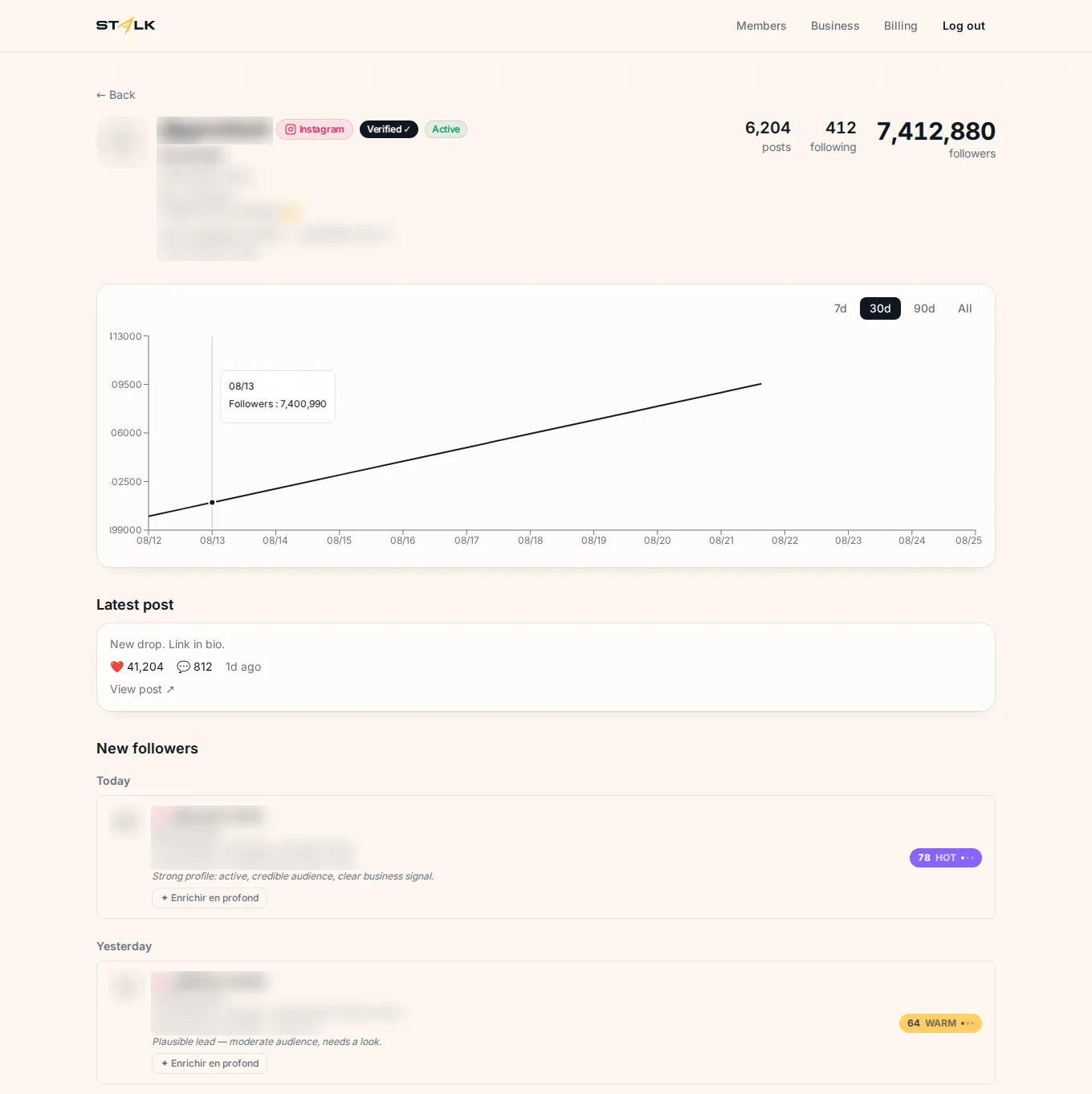
Each new follower gets a score from 0 to 100 with a readable reason, and the score goes up when the same person follows several of the competitors you track. The full method is in how to turn competitors' followers into leads, and you can start a 7-day trial to test it on your own competitors.
FAQ
Are Instagram lead ads worth it?
They are worth it when your buyers are numerous and your team can follow up the same day. Judge them on cost per qualified lead in your CRM, since the cost per form in Ads Manager counts everyone who submitted. For a narrow B2B market or a very small budget, other methods usually give you better-fitting leads.
How much do Instagram lead ads cost?
There is no fixed price. Meta runs an auction, you set the budget, and your cost per lead depends on your audience, your offer and who else is bidding. Run a test campaign, then measure what each qualified lead cost you once your sales team has sorted the submissions.
Why can't I add a lead form on Instagram?
Instant forms are created in Ads Manager, with Leads as the campaign objective and Instant forms as the conversion location. Boosting a post from the Instagram app does not offer instant forms. Your Instagram account and Facebook Page also need to be connected, and the advanced qualifying features only appear when you build the form in Ads Manager, since Meta Business Suite only offers a simple contact form.
Can I run Instagram lead ads for free?
No, lead ads are a paid format and always run on an ad budget. Free alternatives exist: profile optimization, content that invites a keyword comment, conversations in Direct and watching your competitors' followers by hand. We cover them in how to find leads on Instagram without ads.
Where to start
If you have budget and a team that can answer quickly, start with one instant form in Ads Manager, one qualifying question and a CRM connection, then judge it on qualified leads after a full week. If your market is narrow or your budget small, start with the people already following your competitors, and start a 7-day trial of STALK to see who joined their audience since your last check.